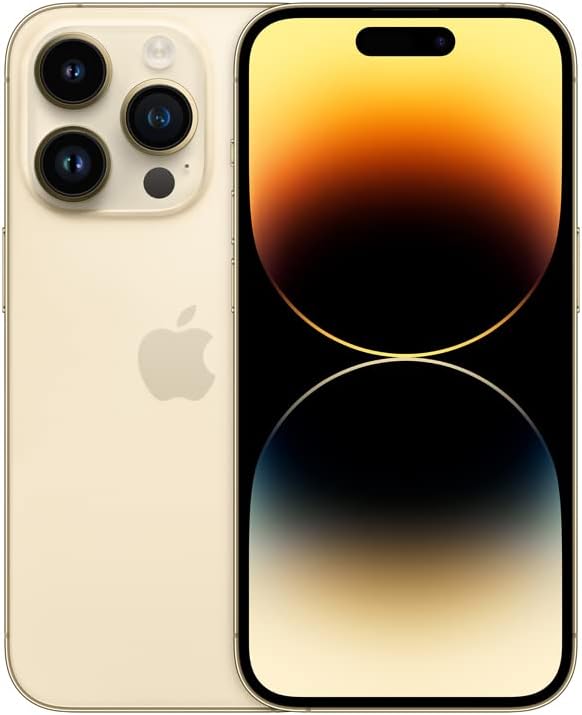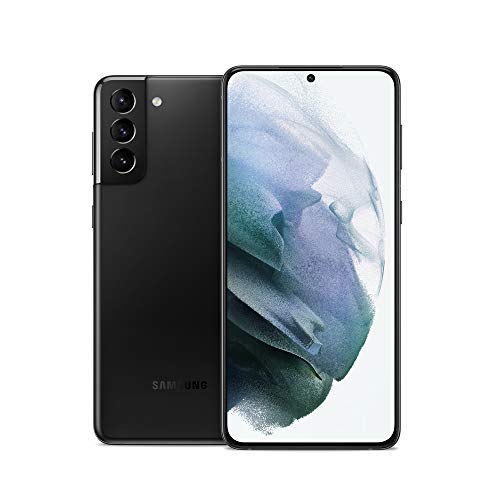
Buying a used flagship is one of the easiest ways to keep hundreds of dollars in your pocket, but the secondary market can feel like a gamble if you do not know the rules. Amazon Renewed is one of the largest ecosystems for pre-owned hardware, yet its grading labels and guarantee policies often create confusion.
Before you drop money on a secondhand device, understanding how condition tiers work, what unlocking actually entails, and how to inspect your hardware upon delivery will save you from costly headaches. For a broader look at how values shift over time, read our guide on The Smartphone Depreciation Curve: Why Smart Buyers Grant Smart Savings.
Decoding Amazon Renewed Condition Tiers
Amazon categorizes its refurbished inventory into distinct grades. Knowing what to expect visually prevents buyer's remorse when the package arrives.
- Excellent: This tier means zero visible cosmetic blemishes when held twelve inches away from your face. The screen and housing look nearly indistinguishable from a brand-new device fresh out of a retail box.
- Very Good: You may find minor, light scratches that are only visible under direct light or specific angles. The screen remains clean during normal use, and the frame shows minimal signs of handling.
- Good: Expect noticeable scuffs, scratches, or minor dings on the body or screen edges. However, these cosmetic flaws completely disappear the second you snap on a standard protective case.
If you want a pristine device without paying day-one retail prices, Excellent grade inventory hits the sweet spot. If you plan on wrapping your phone in a rugged case anyway, Good condition listings offer the steepest discounts.
The Battery Health Reality Check
The elephant in the room with any pre-owned phone is battery longevity. Processors in modern flagships draw significant power, and a degraded battery results in sudden shutdowns, thermal throttling, and frustratingly short daily runtime.
Amazon Renewed mandates a strict baseline: all participating third-party merchants must guarantee a minimum of 80 percent original battery capacity.
When your package arrives, check the battery health menu immediately. If an iPhone reports below 80 percent, or an Android diagnostic tool flags excessive wear, initiate a return or replacement right away.
Unlocking Myths and Network Band Compatibility
A common misconception is that "unlocked" means universal compatibility with every cellular network on earth. Factory unlocked hardware means the device is not tied to a specific carrier installment plan or SIM lock, allowing you to move freely between major providers like T-Mobile, Verizon, or AT&T.
However, network band support matters, especially when buying older legacy models or international variants.
If you are shopping for a device like the Samsung Galaxy S21+ or an older iPhone, always verify that the specific model number matches your domestic carrier's required LTE and 5G frequency bands. International versions sometimes lack specific millimeter-wave or sub-6GHz bands, resulting in dropped calls or slower data speeds in rural areas.
Your Pre-Purchase Inspection Checklist
When your refurbished flagship arrives, do not just transfer your data and toss the box. Run through this systematic inspection during your return window:
- Check the IMEI: Dial
*#06#or check the settings menu, then run the IMEI number through a carrier blacklist checker to ensure the phone is fully paid off and not reported lost or stolen. - Test Physical Buttons: Click the volume rockers, power key, and action buttons to verify tactile feedback and responsive travel.
- Run Screen Diagnostics: Download a diagnostic app to display solid white, red, green, and blue screens. Look closely for ghost images, dead pixels, or OLED screen burn-in from static UI elements.
- Verify Activation Locks: Ensure the previous owner's iCloud account or Google FRP (Factory Reset Protection) lock is completely removed. Setting up the phone with your own credentials from a clean factory state is mandatory.
Immediate Return Red Flags
Most refurbished transactions go smoothly, but shady aftermarket parts do surface. Spotting a counterfeit repair early protects your investment.
On iPhones, navigate to Settings > General > About. Look for "Important Display Message" or "Unknown Part" warnings indicating that a non-genuine screen was installed. These aftermarket panels often lack proper calibration, true-tone functionality, or adequate touch sampling rates.
Similarly, if an iPhone or Android device fails to report battery health metrics accurately, or if battery percentage drops in erratic, massive chunks, it usually signals a low-quality aftermarket battery cell lacking proper thermal sensors. If you spot these red flags, skip the hassle of troubleshooting and process an immediate return.